Start with your voice
Record a phrase, a melody, or an everyday sound. Already have a clip? Import it into the studio.
Record your voice or import audio, play it backwards, and try effects like echo, robot, and telephone. Play the Backwards Challenge or download your edited recording as a WAV.
No account needed · Audio processed in your browser · For adults 18+
 RECORD → REVERSE → REIMAGINE
Use your microphone or import a clip.
Save takes on this device or download a backup before leaving.
Tap or drag the waveform to seek. Keyboard: arrow keys move 5 seconds; Home and End jump to either end.
The meter turns on while recording. No microphone audio plays through your speakers.
Originals stay in this session. Trim times refer to the original take; the waveform and playback position follow the processed audio. Speed also changes pitch. Effects apply to playback and WAV downloads.
Saves a separate copy in this browser. Studio edits do not change saved copies. Open device library ↓
Recordings stay in this browser on this website. They do not sync to another browser, device, www address or the mobile apps. Private browsing, clearing site data or browser storage cleanup can remove them. Download a backup for anything important.
Offline use is optional. It stores this site’s studio files and help/policy pages in this browser.
Browsers decide how long local data is kept. A retention request can help, but is not a backup.
Recently Deleted takes are removed after 30 days when cleanup runs. The library limit is 50 takes / 128 MB, including Recently Deleted. Browser backups include audio, names, favorites and Recently Deleted takes; keep those files private.
Open the library to view this browser’s saved takes, or save a session take from the studio.
Say it. Reverse it. Try to imitate it.
Then reverse your attempt to hear the result.
Try “Hello, backwards world!” Record a phrase, or use the take selected in the studio. Headphones help you hear the sounds clearly.
Challenge progress stays in this page. Save each take on this device to keep it, or download the result. Nothing is uploaded. Compare by ear—there is no automated score.
Record a phrase, a melody, or an everyday sound. Already have a clip? Import it into the studio.
Hear it backwards, slow it down, or add echo. For a challenge, imitate the reversed phrase and reverse your imitation.
Trim your favorite moment and download a WAV. Share it with a friend or bring it into your next project.
Keep the fun close by. Get Backwards Voice Recording Studio for iPhone, iPad or Android and turn everyday phrases into a backwards-speaking challenge.
Choose the App Store for iPhone and iPad or Google Play for Android. Features and compatibility depend on the store version and device. Newer features described in our testing updates may not yet be available in the store release.
iPhone screenshots from version 1.6.2, currently submitted for App Store review. The public release may look different. Android appearance and features may vary.
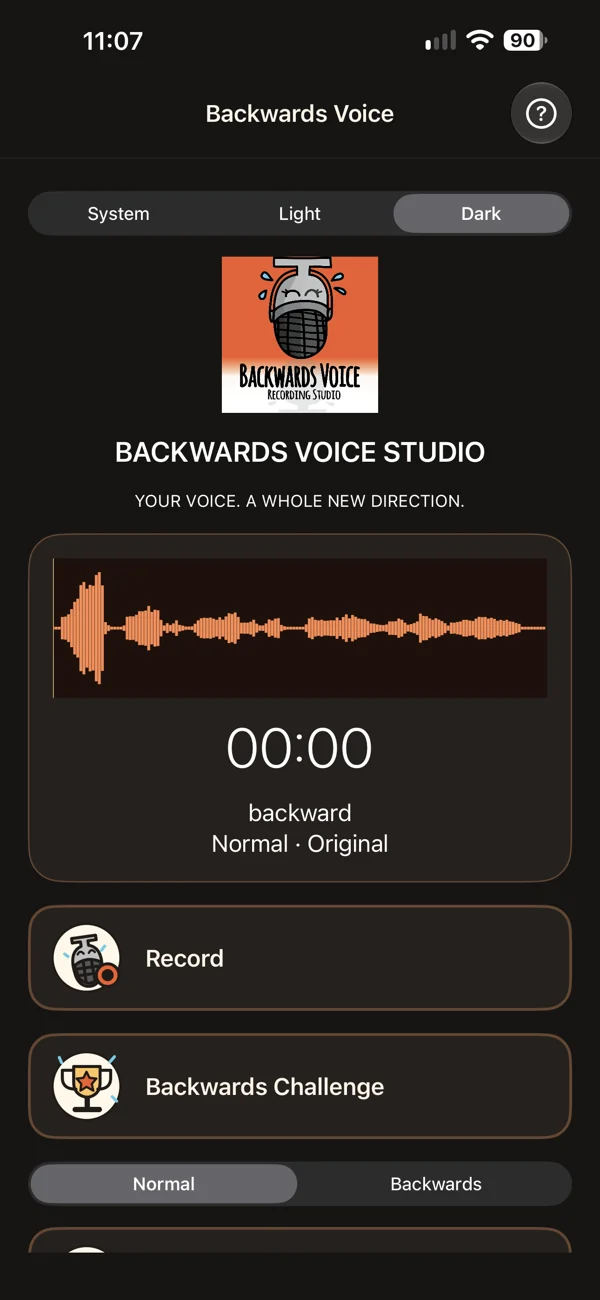
Record a phrase and listen to it in a whole new direction.
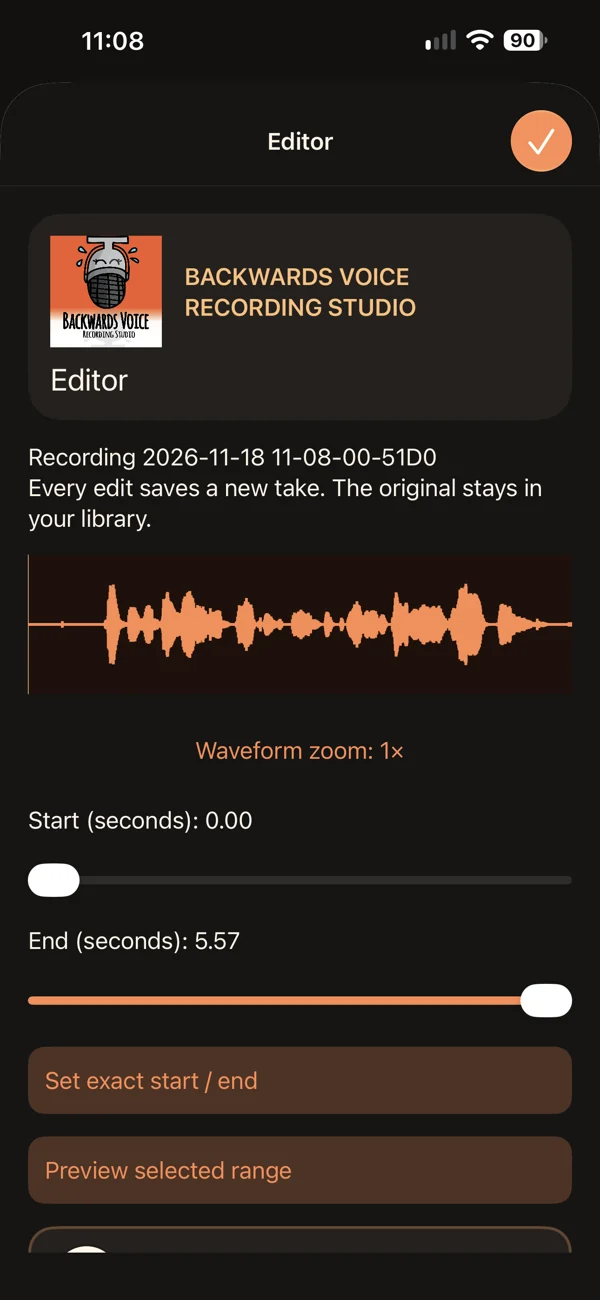
Preview a selected range and shape a new take while keeping the original.
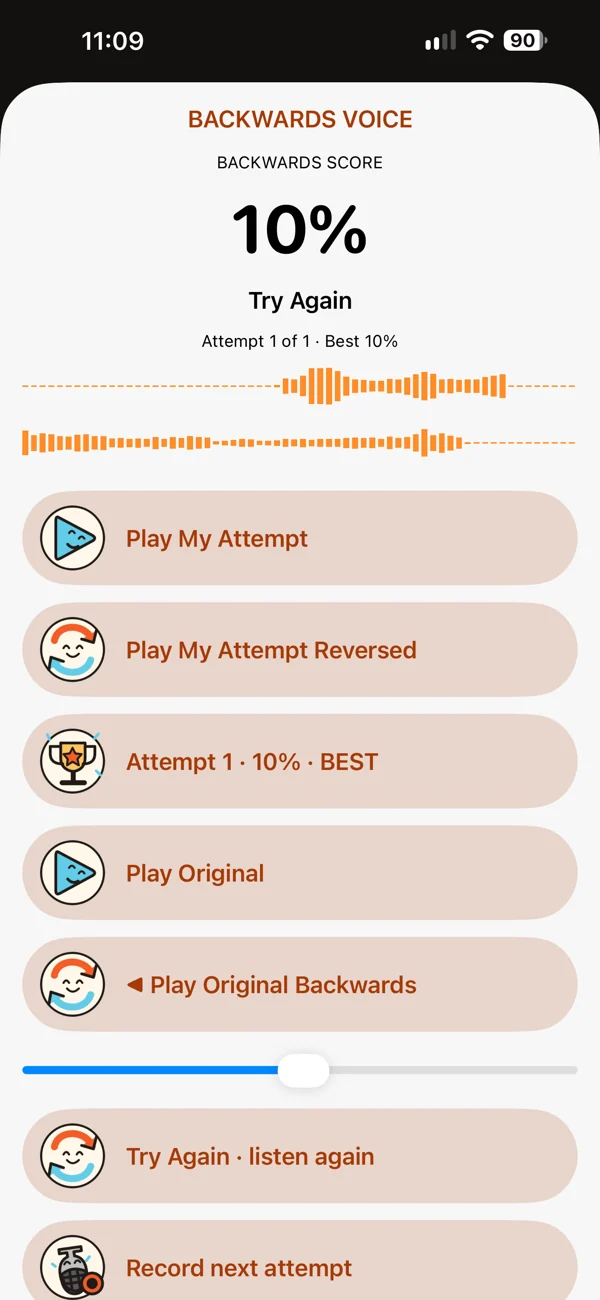
Listen, imitate and compare your attempt. Practice is part of the fun.
Want to try the idea now? Open the browser studio or learn to speak backwards.
The online studio processes your audio in your browser. There is no audio upload service in this site. Use Save on this device to keep a local copy, or download a WAV. Unsaved session takes clear when you reload or close the page. Browser storage can also be cleared, so keep backups.
This is a smaller web studio. It offers recording, imports, reversing, selected effects, trimming and WAV export. Mobile features vary by the version available in your app store. Updated mobile builds add a persistent library and other tools, and are being tested separately. The web studio has no live tuning, transcription or background recording.
Your browser asks for microphone access when you choose Record. You can import a file or use the demo without microphone access. Stop ends microphone capture. Revoke access at any time in browser site settings.
Supported codecs vary by browser. Try a WAV, MP3 or M4A your browser can decode. Short clips work best. The studio reports errors without uploading your file.
Backwards Voice is for adults 18 and older who have reached the age of majority where they live. Record and share only material you have permission to use.
Make your next take better
An illustrated challenge, short practice phrases and tips for your next attempt.
02 / CREATE & KEEPHear what each effect does, compare it with a clean recording, and export your favorite take as a WAV.
03 / GET UNSTUCKMicrophone access, silent playback, file imports and missing recordings.